



































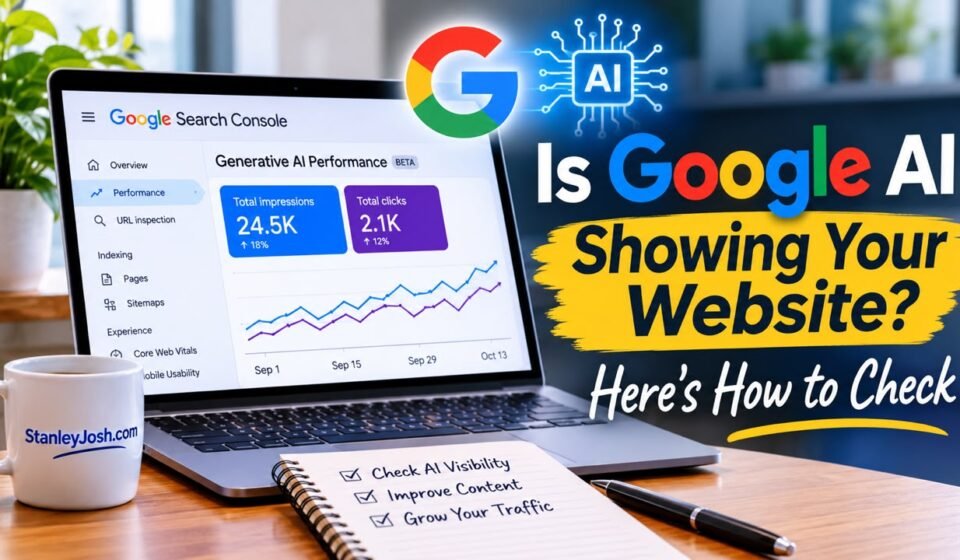

Discover how to use Google Search Console’s AI performance report to see if your website appears in Google AI Overviews and AI Mode, track visibility, and improve your SEO.
Let’s be honest. Getting people to visit your website is already challenging enough. You spend time writing articles, researching keywords, improving your SEO and publishing content, only to check your analytics and wonder whether anyone is actually finding your work.
Now there’s another question website owners need to start asking:
Is my website showing up when people search using Google’s AI features?
Search is changing. People are no longer relying only on traditional Google search results. They’re also using AI-powered features such as Google AI Overviews and AI Mode to find answers, explore topics and discover useful websites.
And here’s something interesting: your website could be appearing in these AI-generated search experiences even if you’re not paying attention to it.
The good news is that Google has introduced a way to help website owners understand their visibility in these features.
It’s called the Generative AI Performance Report in Google Search Console.
If you’ve never heard of it, don’t worry. I’ll walk you through what it means, where to find it and how you can use the information to make better decisions about your website.
What Exactly Is Google’s AI Performance Report?
If you’ve used Google Search Console before, you probably know it’s one of the most useful free tools for understanding how people discover your website through Google.
You can see how many times your pages appear in search results, which search terms bring people to your website and how many clicks you’re receiving.
But search is evolving, and Google has introduced a dedicated report to help website owners understand their visibility in its generative AI search features.
The Generative AI Performance Report provides information about how often your website appears in features such as:
- Google AI Overviews.
- Google AI Mode.
Google made these insights available to websites worldwide on August 31, 2026.
Think about what this means.
Instead of looking only at traditional search performance, you now have another way to understand whether your content is appearing in Google’s AI-powered search experiences.
For bloggers, business owners and digital marketers, that’s useful information to have.
Why Should Website Owners Care About AI Search Visibility?
Imagine you publish an article about email marketing for small businesses.
Someone searches Google for advice on improving their email campaigns. Instead of receiving only traditional search results, they see an AI-generated answer containing links to helpful websites.
Your article could be one of those sources.
Now, here’s the important part.
Even if that person doesn’t immediately click your link, your website may still have gained visibility.
This is why I think website owners should start paying attention to more than just website traffic.
Traffic is important, of course. We all want people visiting our websites. But understanding where our content appears and how people discover it is equally valuable.
AI search visibility can help you understand:
- Which of your articles are appearing in AI search experiences.
- Whether your website is gaining visibility over time.
- Which countries are generating your AI impressions.
- Whether your content is appearing on mobile, desktop or tablet devices.
- Which pages are receiving the most AI search exposure.
These insights can help you make smarter content decisions instead of publishing articles without understanding how they’re performing.
How to Check If Google’s AI Is Showing Your Website
Now let’s get practical.
You don’t need an expensive SEO subscription or another complicated marketing tool to get started.
You need access to Google Search Console and a verified website property.
Here’s how to approach it.
Step 1: Open Google Search Console
Visit Google Search Console and sign in using the Google account connected to your website.
If you haven’t added your website yet, you’ll need to create a property and complete the verification process.
Once you’re inside, select the website you want to investigate.
Step 2: Find the Generative AI Performance Report
Look under the Performance section in Search Console for the Generative AI report.
Open it to view your website’s performance in Google’s supported generative AI search experiences.
If you don’t see the report, don’t immediately assume something is wrong.
Google explains that websites may not receive enough AI impressions to qualify for the report to appear.
Step 3: Check Your Impressions
This is where things get interesting.
The report shows how often links to your website were displayed in Google’s generative AI search features.
An impression means your website’s link was shown to a user within a supported AI search experience.
Look at the overall trend.
Are your impressions increasing?
Have they remained relatively stable?
Are certain pages receiving more visibility than others?
Don’t worry if the numbers are small initially. What matters is understanding what the information tells you and monitoring changes over time.
Step 4: Identify Your Most Visible Pages
Next, look at the Pages section.
This is one of the most useful parts of the report because it helps you identify which articles on your website are receiving AI search impressions.
For example, you might discover that an article about SEO for small businesses is receiving more AI visibility than another article you spent considerably more time writing.
That’s an opportunity to investigate.
Ask yourself:
- What question does this article answer?
- Is the information clear and helpful?
- Does it provide something readers cannot easily find elsewhere?
- Can I create related content around this subject?
You can use these observations to plan future articles and improve existing ones.
Step 5: Understand Where Your Visibility Comes From
Google also provides country and device information.
This can help you understand where people are seeing your content and which devices they’re using.
For example, if a significant portion of your visibility comes from mobile devices, it’s worth checking whether your website offers a good mobile experience.
Make sure your pages load properly, your text is readable and visitors can navigate your website without frustration.
Small improvements like these can make a difference to the overall experience.
Does Appearing in Google’s AI Results Mean More Website Traffic?
Not necessarily.
And this is something I want every website owner to understand.
Getting an impression in an AI-generated search result doesn’t automatically mean someone will click through to your website.
Sometimes people get the information they need directly from Google’s AI-generated response.
Other times, they may click a source because they want more detailed explanations, examples or additional information.
There’s a difference between being visible and receiving a visitor.
The dedicated Generative AI Performance Report currently focuses on impressions. It doesn’t provide a dedicated breakdown of clicks, click-through rate or exact user prompts.
So don’t look at your AI impressions and assume they’re equivalent to website visitors.
Instead, compare your AI visibility with your regular Search Console performance data and your website analytics.
This gives you a broader understanding of what’s happening.
For example:
If your AI impressions are increasing but your website visits aren’t changing much, that doesn’t automatically mean your content is failing.
It means you need to investigate further and understand how that visibility relates to your actual traffic.
What If Your Website Isn’t Appearing in Google’s AI Results?
First, don’t panic.
Not every website will immediately appear in AI-generated search experiences.
And there isn’t a magic SEO trick that guarantees Google will feature your content.
However, there are practical things you can do to improve the quality and discoverability of your website.
Here are some areas I’d pay attention to.
- Write Articles That Answer Real Questions:
Before writing your next blog post, think about the person who will read it.
What problem are they trying to solve?
What information are they struggling to find?
For example, instead of writing a generic article titled “The Importance of Digital Marketing,” consider something more specific:
“How Can a Small Business Get Its First 100 Customers Online?”
The second title addresses a particular problem.
It gives you an opportunity to provide practical advice, examples and actionable steps.
People appreciate content that helps them accomplish something.
- Stop Publishing Articles That Say the Same Thing:
One mistake I see across many websites is publishing article after article that repeats information readers have already encountered elsewhere.
You can write about SEO, email marketing or social media advertising, but simply repeating familiar advice doesn’t give readers much reason to stay.
Try adding something different.
Share practical examples, lessons from your experience, original observations and explanations that make complicated subjects easier to understand.
Your goal should be to give readers something genuinely useful.
- Make Your Articles Easy to Understand:
Nobody enjoys reading an article that feels like a complicated textbook.
Use clear headings, short paragraphs and straightforward explanations.
If you’re explaining a technical subject, break it down into smaller sections.
For example, if you’re writing about Google Search Console, don’t just explain what it does.
Show readers where to find the information, what the numbers mean and what they should do with the results.
Make the experience easier for someone who is learning.
- Keep Your Website Technically Healthy:
Great content is important, but your website also needs to be accessible.
Check that:
- Google can crawl your important pages.
- Your pages can be indexed.
- Your website works properly on mobile devices.
- Your internal links connect related articles.
- Your pages load reliably.
- Your important information is available as readable text.
These are fundamental SEO practices that remain relevant to Google’s AI search experiences.
You don’t need to chase every new AI optimization trick you see online.
Start with the fundamentals and make sure your website is providing a good experience.
- Update Your Existing Content:
Sometimes the next opportunity isn’t publishing another article.
It might be improving something you’ve already written.
Go through your older blog posts.
Are the statistics still accurate?
Are the examples outdated?
Are there questions you forgot to answer?
Can you explain something more clearly?
Updating useful content can help make your website more valuable to readers.
It also gives you an opportunity to connect related articles through internal links.
How Often Should You Check Your AI Search Performance?
You don’t need to spend every morning refreshing Google Search Console.
That can quickly become distracting.
I’d recommend checking your performance once a week or once a month, depending on how frequently you publish content.
Pay attention to three things:
- Visibility: Are your AI impressions increasing, decreasing or staying consistent?
- Content performance: Which articles are receiving the most visibility?
- Website traffic: Are your overall organic clicks and visitors changing alongside your AI search performance?
Keep a simple record of what you find.
Over time, you’ll begin to understand which subjects attract visibility and where your content strategy needs improvement.
Remember, one week’s numbers don’t tell the whole story. Look for patterns rather than making decisions based on a single change.
My Final Thoughts: Don’t Just Publish Content, Understand How People Discover It
One thing I’ve come to appreciate about digital marketing is that publishing content is only one part of building an online presence.
You also need to understand how people find that content, what makes them interested and why they should come back.
Google’s AI Performance Report gives website owners another opportunity to understand how their content is appearing in modern search experiences.
It’s not a magic solution to low website traffic, and it doesn’t guarantee that Google will recommend your articles.
But it gives you another useful source of information when making decisions about your website.
My advice?
Don’t abandon traditional SEO because AI search is becoming more popular.
Continue creating helpful content, answer real questions, improve your website and pay attention to the information available in your analytics.
Most importantly, write for people.
Because behind every search, every click and every website visit is someone looking for an answer.
And if your content can genuinely help that person, you’re doing something right.
Start checking your AI search visibility today. Your next useful content idea might already be sitting inside your Google Search Console data.
⸻
Helpful Resources
Here are some official resources worth bookmarking:
- Google Search Console: Monitor your website’s search performance.
- Google Search Central: Learn how AI features work in Google Search.
- Google Search Central Blog: Follow official developments in Google Search.
Frequently Asked Questions
- Can I see if my website appears in Google AI Overviews?
Yes. Google’s Generative AI Performance Report in Search Console provides impression data for supported AI search features, including AI Overviews and AI Mode.
- Is Google’s AI Performance Report free?
Yes. Google Search Console is a free service. You need a verified website property to access its reporting features.
- Does appearing in Google AI search guarantee website traffic?
No. An AI impression means your website’s link was displayed in a supported AI feature. It doesn’t guarantee that someone will click it.
- Do I need special AI SEO tools to appear in Google AI Overviews?
No. Google says the same foundational SEO best practices apply to AI search features. Focus on helpful content, accessibility, indexing and a good page experience.
- How often should I monitor my website’s AI visibility?
Checking weekly or monthly is a reasonable starting point. Look for longer-term patterns rather than reacting to every small change.